
Every individual that lands on your website is different. This feature will allow you to analyze the behavior of your audience. Viewing your Visitor Statistics will help you to identify your website's strong areas and also areas you need to improve on. Understanding what attracts your visitors to your website is essential in order to retain and convert these visitors into leads, sales, and repeat visitors.
Prerequisites
- You must have administrator or web developer access to use this feature
To view your website's Visitor Statistics:
- Log into your DecoNetwork Website.
- If you are the Fulfillment Center, browse to Admin > Websites.


Select Manage for the website you want to configure.

- Click Marketing and Sales Tools, then Visitor Statistics.
- Select the domain you would like to view the statistics for.
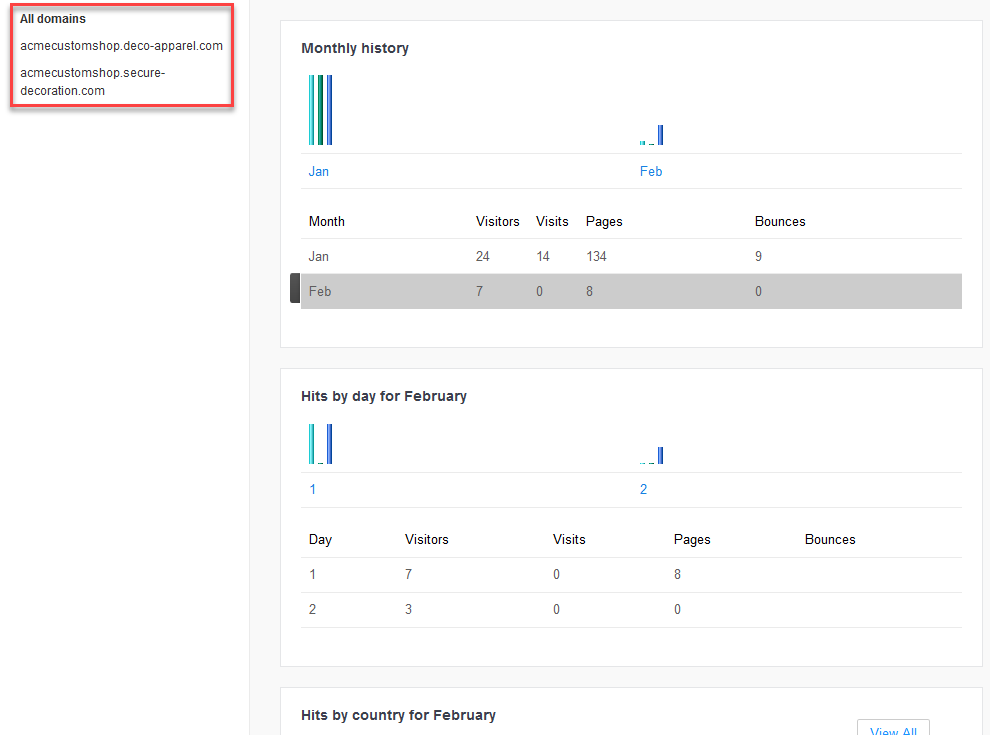
The statistics for all domains are displayed by default.
Still have questions? Use the Search Tool at the top of the page to find more related guides. Need help? Click the icon to submit a support ticket – our Client Services team is ready to assist!
Comments
0 comments
Please sign in to leave a comment.