Be able to turn Overpayments on invoices into a customer credit to use on other invoices.
Under Consideration
We should Be able to turn Overpayments on invoices into a customer credit to use on other invoices.
There are times where a customer will place an order and pay but then decide to change it ... Right now if it is a Credit card payment you have to refund the credit card and then ask for the credit card again because it always seems to be between 2 different invoices they will make changes to and we cannot just apply that credit to a different invoice. But we should have that option available to us.
-

You can already do this:
If a customer pays for an order in full, then before invoicing makes a change to the order, that results in a refund needing to be applied.
- To to your order "Payments Tab"
- Choose "Add Refund"
- next CLICK ON the "Add Credit with the Same Value"
- when the dialog box opens, you can choose the refund reason and add some description in the text box
- a credit in the amount of the refund will be applied to the PERSONS profile (not a company profile)
- when you view their profile you will see the Store Credit amount
- the next time you want to use the credit towards your customers invoice
- Open the "Payments" tab on the order
- Blue box "Add Credit"
any amount that is associated with your customer, will show on the pop-up
You can apply any amount that is available, or click the Max Credit Box
It will then apply that as a payment
the invoice will record the payment as a credit from their account
No need for a refund, and paying the extra fees
- works great for customers who you work with regularly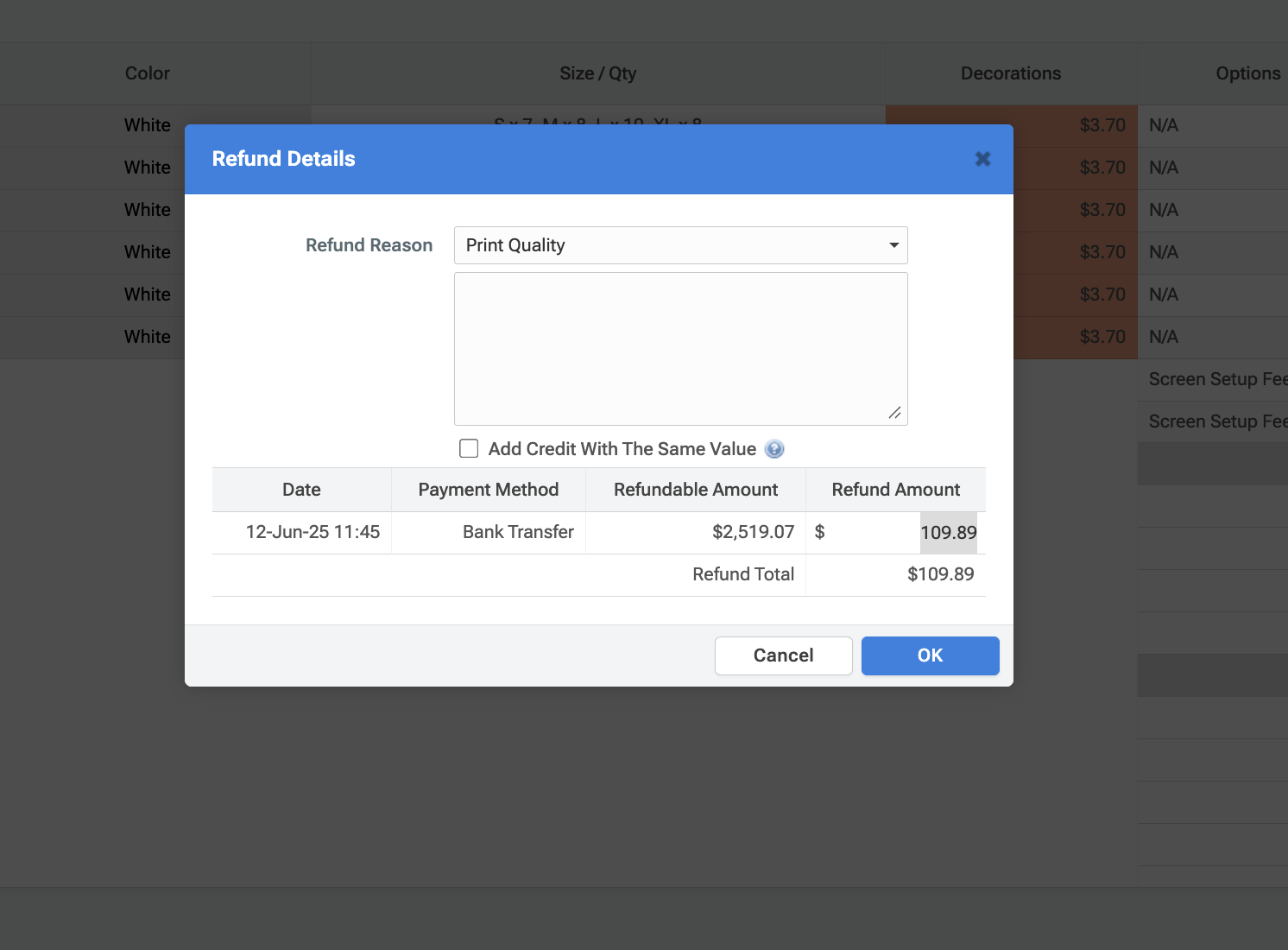 Comment actions
 -

I don't think this works Brian. I just did this and it refunded the customer still. Maybe the functionality is broken?
Comment actions -

I think this may work for manual payments such as bank transfer/cash but not for electronic payments where the refund will go to the customers original payment source.
Comment actions
Please sign in to leave a comment.
Comments
3 comments