
You can choose the source of the categories that appear in the Designs menu in the main navigation.
To filter categories in the Designs drop-down menu:
- Click on the DESIGN button in the Website Editor Toolbar.

- Click on the PAGE OPTIONS menu item.
The PAGE OPTIONS settings are displayed.

- Make sure "Simple" is selected in the Dropdown menu options.
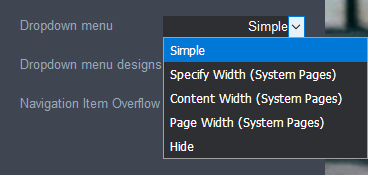
- Select one of the following options from the Dropdown menu designs options:
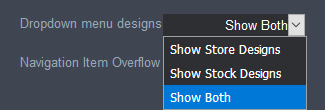
- Show Store Designs: only displays designs that have been uploaded to the store.
- Show Stock Designs: only displays designs added from the stock design collection.
- Show Both: displays both uploaded and stock collection designs.
- Click the Save button at the right of the Page Settings Bar.
Comments
0 comments
Please sign in to leave a comment.