
DeconNetwork supports all the major decoration methods available for decorating your products, including DTG (direct-to-garment) Printing, Sublimation, Embroidery, Screen Printing, Transfer, Rhinestone templates, and DTF (direct-to-film) Printing. You can enable the decoration processes you want to support on your web store(s). Each decoration process has its own set of configuration options. DecoNetwork uses built-in rules and settings to support each of the decoration processes you enable, such as:
- Pricing methods unique to the decoration process
- What file formats can be uploaded for each decoration type
- Custom color palettes
- Automatic color reduction for screen print designs
- What file format production files will be output as
Prerequisites
- You must have administrator access to use this feature
To enable a decoration process:
- Log into your DecoNetwork Website.
- Browse to Admin > Decoration Processes.

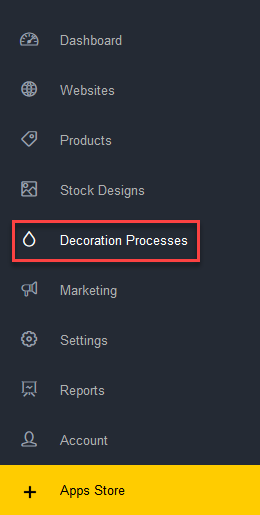
Decoration processes you wish to support may be enabled on this page.
- Scroll down to the relevant process and click on Click here to enable [Decoration Process].
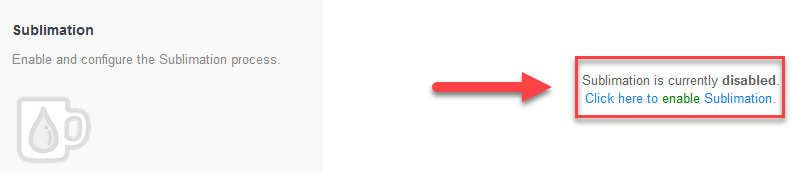
The Enable decoration process page is displayed showing the number of products that will be added to your system when the decoration process is enabled.
- Click on the Enable [Decoration Process] button.

The key configuration points are displayed for the enabled decoration process, with links to configure them.
Still have questions? Use the Search Tool at the top of the page to find more related guides. Need help? Click the icon to submit a support ticket – our Client Services team is ready to assist!
Comments
0 comments
Please sign in to leave a comment.