Correct or AT LEAST more accurate decoration areas
Answered
the default decoration areas, specifically for San Mar, by default are way to small. Tech support says there is nothing they can do to correct this. This becomes very time consuming to have to edit each items decoration area every time a new product is use. See image below from our admin page before we edit the decoration area.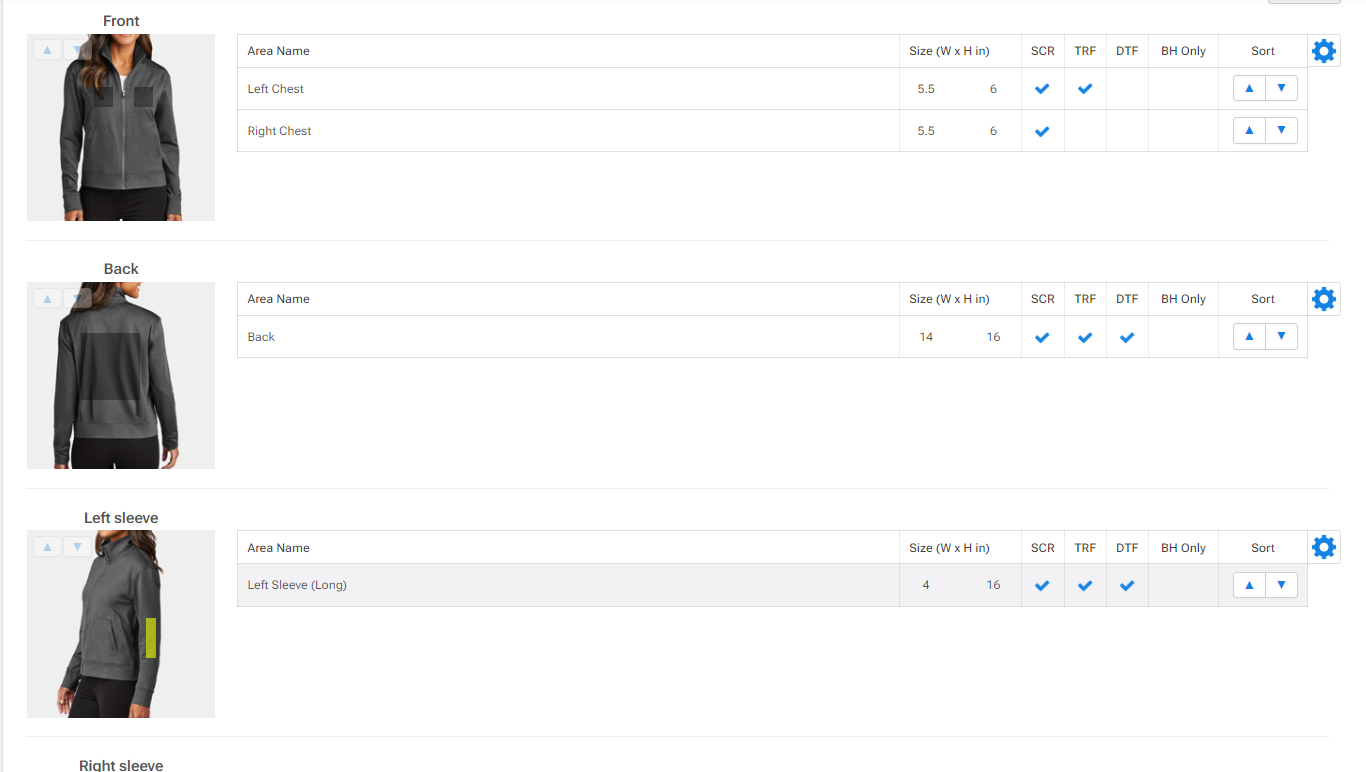
-
DecoNetwork Team

Shane Maher areas are accurate when the catalog team first adds them. What you're running into is that you've changed the physical dimensions under global areas but the areas did not scale. We addressed this some time ago by adding the Scale decoration areas when changing physical dimensions option under global decoration areas page. With the option enabled, changes to physical dimensions will cause areas to resize proportionally.
In your example, the left sleeve area which starts at 2x6 was changed to 4x16. With the option enabled the area would have become larger since you increased the physical dimensions. NOTE: The option is not retroactive so if you enable the option now, it will scale areas proportionally for any future changes from their current dimensions. If you are interested in turning this option on, I would recommend first leaving the option off and changing all areas back to their default dimensions. Once areas are back to their default dimensions, you can turn the option ON and change back to your desired dimensions so they scale up/down in size.
Comment actions
Please sign in to leave a comment.
Comments
1 comment