Fix Screen Print White Under Base Price Logic
Under Consideration
See images for common miscalculated print colours.
A big chunk of our quotes are inaccurate because the under base function does not take into account the print colours (specifically black/white) being used.
Easy logic fix to cover most (but not all) scenarios:
IF white in artwork = don't charge for under base
IF no white in artwork, dark garment = charge for under base
IF ONLY black ink in artwork = don't charge for under base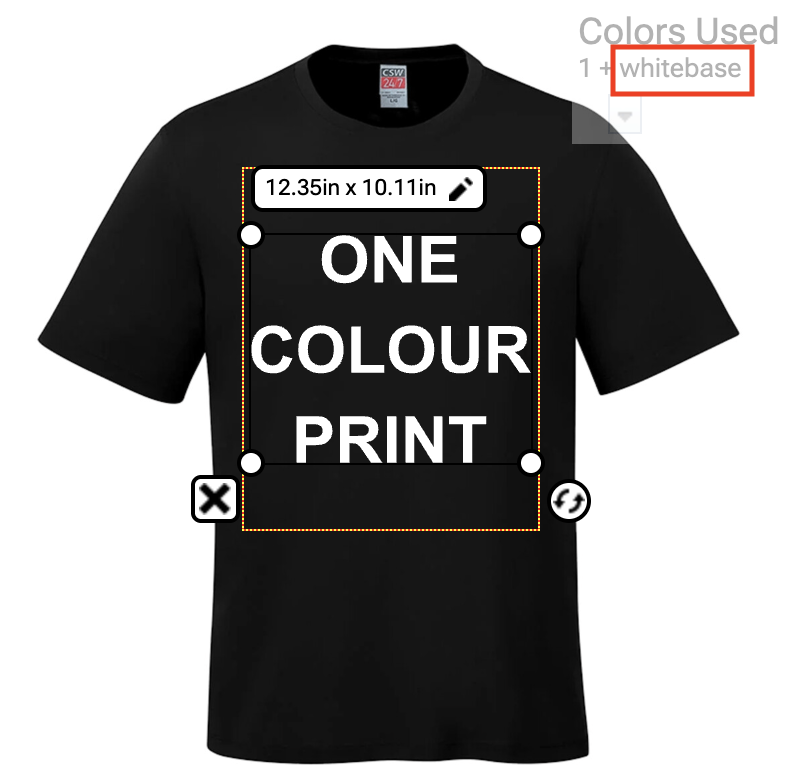
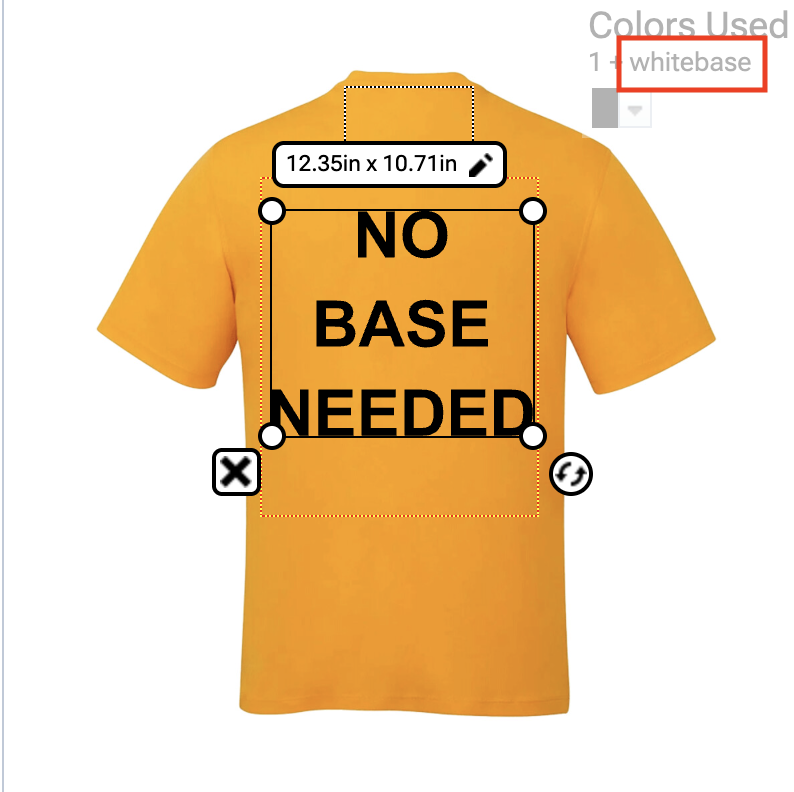
-
DecoNetwork Team

These duplicate requests were merged into this post:
No Under Base by Ink Color
Black ink almost never uses an under base, for pricing to be accurate we need to be able to control which ink colors will never require a base. While black ink wont use a base on an orange shirt, almost every other color will. The current options available do not account for this occurrence.
Ability to Make a Screen Print Color "Treat as Black ink" to avoid underbase
Currently there is no way to tell the software that dark color screen print inks do not require a white underbase. We need the ability to say Black or Navy ink for example does not require an underbase and thus not charge the customer for one.
Additional Screen Printing White Base Settings
Currently when adding a single white colour screen print design a white base is automatically added despite the design being white. This is unnecessary as the one screen is used as the white base and highlight white. Currently the only way to adjust this is to remove the screen setup fee and adjust the decoration pricing manually which is off-putting for customers who place an order themselves and see drastically higher prices for a single colour design. A simple toggle setting to ignore using an under base on white designs and the ability to adjust the screen setup fee quantity would be much appreciated.Comment actions
Please sign in to leave a comment.
Comments
1 comment